Press Top up in the top bar of your account.
Under Payment method pick Card (Visa, Mastercard, Apple Pay, Google Pay) and choose the Currency.
Pick a pack and press Buy. The bigger the pack, the cheaper one video.
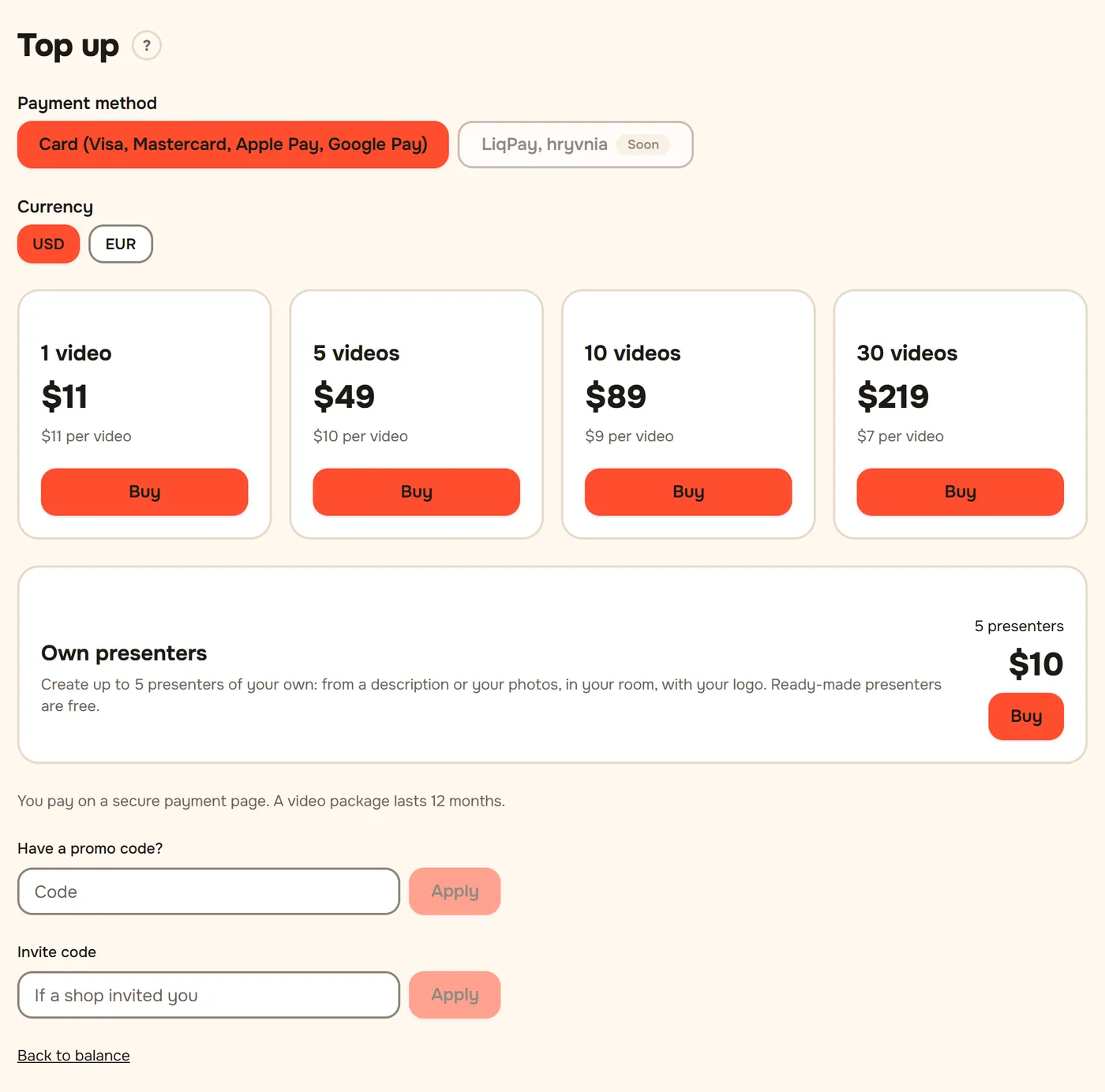
Pay on the secure payment page that opens.
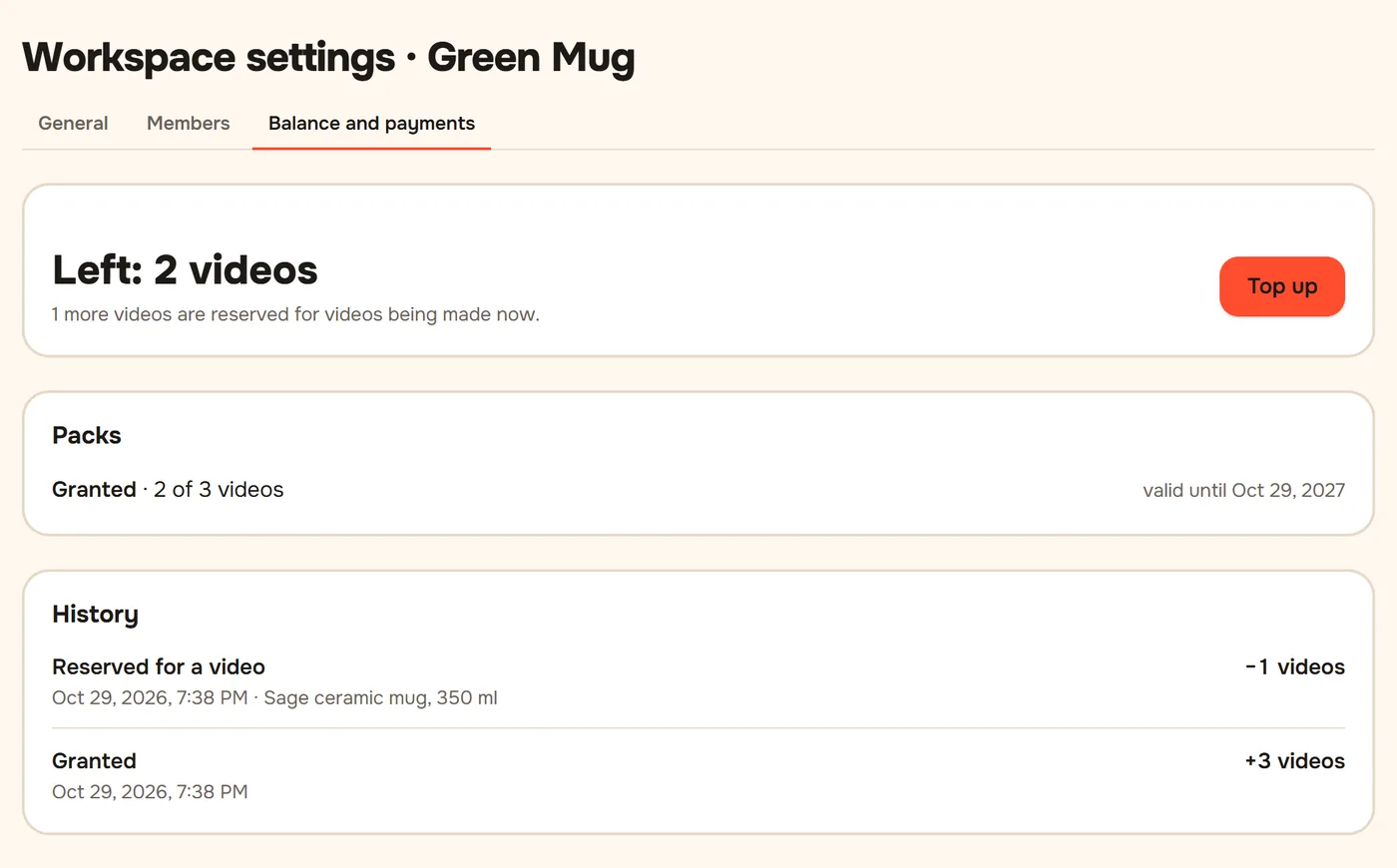
You return to Balance and see "Payment received, credits added." The videos are on your balance now. A pack lasts 12 months.
Invited by another shop? Enter the Invite code on the top-up page before your first purchase and get +1 video.
Didn't work?
- "Payment is being processed…" does not go away. Reload the page in a minute. If the money was charged but the videos did not appear, write to us with the time of payment.
- The bank declined the card. Try another card or Apple Pay / Google Pay; some banks block online payments abroad by default.
- Need an invoice for a company. Write to [email protected].
Still stuck? Write to [email protected].